








































SAP HCM SuccessFactors Training: On-Premise HR and Employee Central

SAP HCM SuccessFactors training is for HR executives, HR operations staff, HR graduates and career changers who want to work on HR systems. Over 8 weeks of live classes, you first learn the on-premise system. You build the organisation and personnel structure, run hiring and exit actions, maintain infotypes and set work schedules and absences. You also see how monthly pay basics work, from pay periods to basic pay. Then you move to Employee Central in the cloud: instance setup, role-based permissions, picklists, data models, foundation objects, time off and goals. Every class is recorded, and you finish with one hospital hire built in both systems.
4.9 out of 5 based on 14378 votes
google

4.8/5

sulekha

4.8/5

urbanpro

4.7/5

justdial

4.9/5

facebook

4.9/5


ISO
NSDC
Ministry of Corporate Affairs India
Skill India

Calculate Your Course Fee


By requesting here, I agree to Zeblearn's Terms & Conditions and Privacy Policy

Our Partners

Zeblearn Certification Partners

Companies run HR on premise, in the cloud, or both while they move. The course covers each.

project-management-institute
adobe
autodesk
meta
cisco
microsoft-certified-professional
information-technology-specialist
unity
intuit
apple
esrp
ic3-digital-literacy-certification
project-management-institute
adobe
autodesk
meta
cisco
microsoft-certified-professional
information-technology-specialist
unity
intuit
apple
esrp
ic3-digital-literacy-certification
Our Students Now Work At Top MNCs
8500+ Students Placed
Nishant Kaushik Placed
Nishant Kaushik
SAP MM
manideepak Upskilled
manideepak
Manager
Hari Shankar Jha Career switch
Hari Shankar Jha
Senior System Admin
alok kumar singh Upskilled
alok kumar singh
sap hcm
Jeevak Placed
Jeevak
Consultant
Abhijit S. Getme Upskilled
Abhijit S. Getme
Consultant Engineer
Kartik Singh Placed
Kartik Singh
SAP SD
Hemant Khainar Upskilled
Hemant Khainar
SAP MM Consultant
Neeraj Khanna Placed
Neeraj Khanna
SAP MM
Burna Vinay Kumar Placed
Burna Vinay Kumar
SAP SD Consultant
Shubham Placed
Shubham
SAP ABAP Consultant
Shashikant Career switch
Shashikant
Structure Engineer
Khushbu Career switch
Khushbu
Sap hcm
Nishant Kaushik Placed
Nishant Kaushik
SAP MM
manideepak Upskilled
manideepak
Manager
Hari Shankar Jha Career switch
Hari Shankar Jha
Senior System Admin
alok kumar singh Upskilled
alok kumar singh
sap hcm
Jeevak Placed
Jeevak
Consultant
Abhijit S. Getme Upskilled
Abhijit S. Getme
Consultant Engineer
Kartik Singh Placed
Kartik Singh
SAP SD
Hemant Khainar Upskilled
Hemant Khainar
SAP MM Consultant
Neeraj Khanna Placed
Neeraj Khanna
SAP MM
Burna Vinay Kumar Placed
Burna Vinay Kumar
SAP SD Consultant
Shubham Placed
Shubham
SAP ABAP Consultant
Shashikant Career switch
Shashikant
Structure Engineer
Khushbu Career switch
Khushbu
Sap hcm
About the Course

Why Learn On-Premise HCM and Employee Central Together?

Many companies still run HR on the on-premise HCM system. Many others have moved core HR to SuccessFactors Employee Central in the cloud. Some run both side by side while they move. Employers want people who understand both. This SAP HCM SuccessFactors training teaches each in turn.

You start with the on-premise system, because its ideas (organisation units, positions, infotypes, work schedules) explain why Employee Central is built the way it is. Then you move to the cloud and set up the same HR data there. The two halves link up, so nothing feels new for long.

What You Can Do After This Course

  • Build an organisation structure with units, positions, jobs and reporting lines.
  • Set up the enterprise and personnel structure: personnel area, subarea, employee group and subgroup.
  • Run hiring, transfer and exit actions and maintain key infotypes.
  • Create holiday calendars, work schedules and absence rules.
  • Explain the payroll basics: payroll area, periods and basic pay.
  • Configure role-based permissions and picklists in Employee Central.
  • Edit the corporate and succession data models and foundation objects.
  • Set up time off and a goal and performance cycle in the cloud.

On-Premise HCM and Employee Central Compared

PointOn-Premise HCMEmployee Central
Where it runsCompany servers or private cloudVendor cloud, updated twice a year
Employee dataInfotypesData models and portlets
Setup styleCustomising and transaction codesAdmin centre, XML data models and rules
Access controlAuthorisation rolesRole-based permissions

One Employee in Practice: A Hire at a Chennai Hospital Group

Picture a hospital group in Chennai hiring a staff nurse. The position already exists under the nursing unit, with a cost centre and a reporting line to the ward manager. HR runs a hiring action, which fills the position and creates the employee's personal, organisational and pay records.

The nurse works rotating shifts, so she gets a period work schedule and the state holiday calendar. When she applies for leave, the absence rules check her balance. At month end, her basic pay and shift data feed payroll.

Now picture the same group moving to the cloud. In Employee Central, the nursing unit becomes a foundation object, the hiring action becomes a workflow with approvals, and permissions decide which managers can see her salary. You build both versions in class. Seeing them side by side makes migration projects much easier to follow, because you know where each old field lands in the new system.

Configuration Overview

On the on-premise side, you first define the enterprise and personnel structure. Then you assign them to the company code. Next come number ranges, actions and infotype screens for personnel administration. Organisational management follows, with objects and relationships. Time management then adds calendars, work schedule rules and absence types. In Employee Central, you start in provisioning with basic company settings. Then you build the data models, foundation objects, picklists and permission roles. Business rules and workflows come last, so data changes follow your company's approval chain.

Common Transaction Codes and Infotypes

Code or InfotypeUsed For
PA40Run personnel actions such as hire or exit
PA30 / PA20Maintain or display employee data
PPOMEMaintain the organisation and staffing
PP01Maintain an object in expert mode
SCALHoliday and factory calendars
Infotype 0000 / 0001Actions and organisational assignment
Infotype 0007 / 0008Planned working time and basic pay
Infotype 2001Absences

Key Terms in One Line Each

  • Infotype: a group of related employee fields, such as address or pay.
  • Position: a seat in the organisation that one person fills.
  • Job: a general role description, such as staff nurse.
  • Personnel area: a unit used for HR rules, often a location.
  • Employee subgroup: a split such as hourly or salaried staff.
  • Foundation object: core company data in Employee Central, such as legal entity or department.
  • RBP: role-based permissions that decide who sees and edits what.
  • MDF: the framework for building custom objects in the cloud.
  • Picklist: a fixed list of values for a field.
  • Provisioning: the back-end setup area for a cloud instance.

Prerequisites for SAP HCM SuccessFactors Training

HR experience helps most. HR executives, HR operations staff, salary processing staff and HR graduates fit well. MBA HR students and career changers can join too.

No earlier ERP knowledge is needed. The course starts with what an ERP is and how HR data fits into it.

Week-by-Week Plan

WeekTopicsBy the End You Can
1ERP basics, HR module overview, enterprise and personnel structureSet up the HR structure
2Organisational management, positions, reporting linesBuild an org chart
3Personnel administration, actions, infotypesHire, transfer and exit staff
4Time management, recruitment, development, training eventsSet work schedules and absences
5Payroll basics, reports, project phasesExplain the payroll flow
6Cloud basics, instance setup, provisioning, org and position chartsSet up an instance
7Permissions, MDF, picklists, data models, foundation objectsConfigure core employee data
8Time off, goals and performance, projectPresent the nurse hire in both systems

System Access

You practise in training systems during class. Every session is recorded in the student portal, so you can replay any step.

Live Classes or Self-Study?

Videos show screens, but they cannot tell you why a field is hidden for one manager and visible for another. Live classes give you a trainer who checks your permissions, data models and work schedules and answers doubts in class.

Related Courses

For on-premise only, see the HCM course. To go deeper into the cloud suite, try SuccessFactors training. For Indian salary rules and statutory deductions, look at the payroll course.

Course Details and Fees

ItemDetails
Duration8 weeks of live classes
ScopeOn-premise HCM and Employee Central
FormatLive online with a trainer, every session recorded
ProjectOne hire built in both systems
CertificateZeblearn course certificate
Course feesRs 45,000, with EMI

Not sure which system your target employers use? Book a free demo class and ask the trainer.

Curriculum

HCM and Employee Central Course Syllabus

The syllabus moves from the on-premise HR structure, actions and time rules to cloud data models, permissions and performance.

  • In this module the candidate will learn about Enterprise Resource Planning
  • and its Packages, Systems Applications and Product’s Architecture and
  • Modules, SAP Human Capital Management.
  • The candidate will also be guided with Discussions on the topics covered.
  • ERP and ERP Packages
  • SAP and its architecture
  • SAP and its modules
  • SAP Human Capital Management (HCM) and its areas
  • Discussions with Participants
  • In this module the candidate will learn how to get started with SAP
  • SAP HR/HCM Course Syllabus
  • Understand the HR Module, Organizational Information, and Employee Information
  • Getting Started
  • The HR module
  • Organizational Information
  • Employee Information
  • Introduction
  • Understanding SAP HCM
  • Structure in SAP HCM
  • Objects
  • Relationships – Structure and Syntax
  • Methods of Creating Organization Structure
  • Editing of Objects and Relationships
  • Validity Period
  • Organization Units, Positions, Jobs, Tasks, Reporting Structure
  • ·  In this module the candidate will learn about Configuring Organizational Structure, which includes understanding of how to create Objects, Essential Relationships, Creating Description and Department, Maintaining Plan Data, Adding Relationships and Account Assignment to the Company Organizational Units and Structure Maintenance.

    ·  Create Objects

    ·  Essential Relationships

    ·  Create Description

    ·  Create Department/Staff

    ·  Add Relationships

    ·  Maintain Plan Data

    ·  Add account assignment to the company organizational unit

    ·  Account assignment features

    ·  Structure Maintenance

    ·  In this module the candidate will learn about configuring positions and reporting relationships, and how to produce an organizational structure report.

    ·  Configure Positions

    ·  Configure Reporting Relationships

    ·  Produce an Organizational Structure Report


    ·  In this module, the candidate will learn about Personnel Administration, which includes integration settings with Organizational Management and Plant Maintenance, Master Data definition and its uses in SAP HCM, Enterprise Structure, and Personnel Structure.

    ·  Integration setting with OM and PA

    ·  Master Data Definition and its use in SAP HCM

    ·  Enterprise Structure – Definition and Assignment (Company, Company Code, Personnel Area, Personnel Sub Area)

    ·  Personnel Structure – Definition and Assignment (Employee Group, Employee Subgroup, Payroll Area, Control Record with Retroactive Accounting Period)


    ·  In this module, the candidate will learn about Establishing the Enterprise Structure, which includes configuring Personnel Sub-Areas, Employee Sub-Groups, and grouping for work schedules.

    ·  Configuring Personnel Sub-Areas

    ·  Employee Sub-Groups

    ·  Grouping for Work Schedules


    ·  In this module, the candidate will learn about time management, which includes understanding the overview of time management in HR, the difference between domain and SAP HR time management, positive and negative time recording, and more.

    ·  Introduction to Time Management: Time management process in HR

    ·  Domain and SAP HR Time Management: Differentiation and discussion

    ·  Positive and Negative Time Recording: Business process discussion

    ·  Public Holidays: Configuration of different types of holidays

    ·  Holiday Calendar: Business scenarios applicability with enterprise structure

    ·  Factory Calendar: HR perspective

    ·  Grouping Personnel Sub-Area & Employee Subgroup: Grouping in TM

    ·  Work Schedules:

    • Break Schedule
    • Daily Work Schedules
    • Period Work Schedules
    • Day Types and Day Type Selection Rules

    ·  ESG, Holiday Calendar Assignment for PSA

    ·  Work Schedule Rules

    ·  Time Management Infotypes


    ·  In this module, the candidate will learn about Indian Payroll and its process.

    ·  Introduction to Indian Payroll

    ·  Payroll Process

    ·  IT 0008 - Basic Pay

    ·  IT 0014 - Recurring Payment and Deductions

    ·  IT 0015 - Additional Payments and Deductions

    ·  Indian Tax Info Type - 0580 to 0588

    ·  Indian Payroll Driver

    ·  Payroll Log - RT and CRT

    ·  IT 0003 Payroll Status - Time and Payroll Retro Accounting Run

    ·  PA 03 - Control Record and Status

    ·  IT 0057 - Membership Fee

    ·  Indian Standard Schemas and PCR

    ·  Features
     

  • Completing an Action
  • Maintaining Free Text
  • Time Off
  • Creating Positions
  • Changing Cost Centers
  • Changing Bank Details
  • Recurring Payments and Deductions
  • Changing Addresses
  • Viewing Organizational Structures
  • Changing Work Rules
  • Date Types
  • Preparing for an Interview with SAP HCM Consultant
  • Standard SAP HR/HCM Reports in SAP HCM
  • Development of Custom Reports in SAP HCM
  • Process of preparing the project-oriented documents in the customized developments
  • Preparation of projects in ASAP methodology
  • Roles and responsibilities of consultants in different phases of the project
  • Understanding the HCM specific process in HCM implementation
  • HR Master Data
  • Transaction Codes
  • Info-types
  • Time Constraints
  • HR Reports
  • Basic Settings
  • Organization Objects, Keys
  • Search Area, Overview Area, Object Manager-Work Area
  • Organization and Staffing
  • Simple Maintenance
  • Expert Mode
  • Organization Structure
  • Jobs, Positions, Persons, Cost Centre
  • OM Reports
  • Company Name
  • Company Code
  • Personnel Area
  • Personnel Subarea
  • Employee Group
  • Employee Sub Group
  • Human Resources Management
  • Assignment of Personnel Area to Company Code
  • Assign Employee Subgroup to Employee Group
  • Time Management Info-types
  • Public Holidays
  • Holiday Calendar
  • Factory Calendar
  • Breaks (Paid & Unpaid)
  • Daily Work Schedule
  • Period Work Schedules
  • Day Types
  • Grouping Personnel Sub Area for Work Schedule
  • Define Employee Subgroup Groupings
  • Define Groupings for the Public Holiday Calendar
  • Set Work Schedule Rules and Work Schedules
  • Generate Work Schedules Manually
  • Planned Working Time
  • Set Default Value for the Work Schedule
  • Set Which Hour Fields Are Entry Fields
  • Define Working Weeks
  • Set Default Value for Time Management Status
  • Time Data Recording and Administration
  • Substitutions
  • Absences
  • Attendances/Actual Working Times
  • Overtime & Availability
  • Workforce Requirements and Advertising
  • Create Positions
  • Create Media
  • Create Recruitment Instruments
  • Create Addresses for Recruitment Instruments
  • Applicant Administration
  • Create Personnel Officer
  • Applicant Structure
  • Create Applicant
  • Appraisal Systems
  • Forms of Appraisal
  • Quality & Quantity Scales
  • Point Scales & YES/NO Scales
  • Language Scales
  • Business Event Preparation
  • Define Cost Items
  • Define Time Schedule
  • Create Building Address
  • Basic Settings
  • Payroll Organization
  • Define Period Parameters
  • Define Date Modifiers
  • Check Payroll Accounting Area
  • Generate Payroll Periods
  • Generate Calendar for Cumulations
  • Basic Pay
  • Define Employee Subgroup Grouping for PCR and Collective Agreement Provision
  • Pay Scale Conversion for Basic Pay
  • Define Reason for Change
  • Check Pay Scale Type
  • Check Pay Scale Area
  • Check Assignment of Pay Scale Structure to Enterprise Structure
  • Determine Default for Pay Scale Data
  • Set Up Payroll Period for Collective Agreement Provision
  • Revise Pay Scale Groups and Levels
  • Define Pay Scale Salary Ranges
  • Wage Types
  • Create Wage Type Catalog
  • Check Wage Type Catalog
  • Check Wage Type Text
  • Check Entry Impressibility per Info-type
  • Define Wage Type Permissibility for Each Pay Scale and Employee Subgroup
  • Check Wage Type Characteristics
  • Employee Subgroups for Primary Wage Type
  • Personnel Subareas for Primary Wage Type
  • Enterprise Structure for Wage Type Model
  • Revise Default Wage Types
  • Payroll Simulation
  • Payroll Release, Payroll Run
  • Business Communication
  • Preparation for the Interview
  • Presentation Skills
  • Resume Building Technique
  • Once you are done with your SAP Course, your scope to use SAP systems is diversified. Firstly, complete and proper SAP Training is prerequisite for entering this career. SAP helps you to validate your expertise on a global platform.
  • SAP implementation process requires adequate knowledge and expertise, as it is complex to implement. That's why SAP is a highly demanding certification in the industry with a lot of career opportunities. If you are exploring career opportunities in the field of SAP, there is a huge and vast global market.
  • SAP provides a wide range of modules, covering every aspect of Functional and Technical Aspects.
  • What is SuccessFactors?
  • SAP SuccessFactors and its abilities
  • Importance and benefits of SuccessFactors
  • SAP ERP HCM and SuccessFactors
  • Personalizing the Instance
  • Welcome Portlets
  • Company Logo, Theme Manager
  • E-mail Notifications
  • Introduction to Organization Chart
  • Introduction to Position Organization Chart
  • Add Lower and Peer Position
  • Managing Position
  • Introduction to Data Files
  • Export and Import Employee
  • Manage Employee
  • Introduction to Role-Based Permissions (RBP)
  • User and Administrator Permissions
  • Permission Roles and Groups
  • Manage Security
  • Overview of MDF (Meta Data Framework)
  • Picklist Management
  • Introduction to Time Off
  • Data Models: Corporate Data Model and Succession Data Model
  • Country-Specific Corporate Data Model and Succession Data Model
  • Foundational Objects Configuration
  • Generic Objects, Cost Center
  • Introduction to Proxy Management
  • Employee Profile
  • Creation of Holiday
  • Creation of Holiday Calendar
  • Time Off Process & Workflows
  • Creation of Work Schedule
  • Simple, Period Work Schedule
  • Time Type
  • Leave of Absence
  • Manage Time Off Calendars
  • Manage Time Off Structures
  • Absence Management
  • Overview of Performance Management
  • Goal Plan Template: Basic and Extended
  • Access Goal Plan from Menu
  • What is Goal Management?
  • SMART Goals and Cascading Goals
  • Goal Execution and Library
  • Introduction to Performance Management
  • Cloud and SF Architecture
  • Instance, Provisioning Explanation
  • Technical Architecture
  • Integration Technology/Tools
  • Bizxpert Methodology – Implementation Methodology
  • Basic Company Settings in Provisioning
  • Creating Administrators in Provisioning
  • Creating Administrators in Instance
  • Instance Basic Settings – Passwords, Home Page, Welcome Menu, Company Info, Employee Files
  • Administrator Tools
  • Commonly Used Terms
  • Admin Privileges
  • Proxy Management
  • Setting Up Company Logos
  • Manage Data User Records
  • Employee Data File
  • Permissions
  • Role-Based Permissioning (RBP)
  • Pick List Management
  • Text Customization in Instance
  • XML and Data Models
  • People Search
  • Rating Scales
  • Route Maps (Workflow)
  • Launching Forms
  • Employee Profile
  • Introduction and Basic Provisioning Set Up Exercises
  • Data Models
  • Employee Central Structure
  • Data Model Management
  • Data Model Associations
  • Enable Employee Central and RBP
  • Update Employee Details
  • ESS/MSS Functionality
  • Understanding Security
  • Managing Security with RBP
  • EC as a System of Record
  • EC Customizing and Populating Basic Foundation Data
  • Customizing Country-Specific Files in Foundation Tables
  • Creating and Modifying Associations
  • Propagations
  • Importing Users and Data
  • Mass Changes
  • Customizing Employee Files
  • Customizing CSF for Employee Files
  • Position Management
  • Absence Management
  • Employee Central Reporting and Integration
  • MDF Overview
  • MDF Objects Creation
  • Manage Business Configuration Rules Setup
  • Manage Workflow Requests/Groups
  • Org Chart
  • Manage Sequence
  • Monitor Job
  • Beyond Learning

    We empower you with skills that land your dream job.

    By requesting here, I agree to Zeblearn's Terms & Conditions and Privacy Policy

    Certification

    SAP SuccessFactors Certification for Employee Central

    The main vendor exam linked to this course is the SAP SuccessFactors certification for Employee Central Core, code C_THR81. It checks your cloud setup skills. These include core employee data, foundation objects, permissions and positions.

    On-premise HCM skills are proven mainly through project work and interviews. Many new HR system projects use the cloud, so an SAP SuccessFactors certification is the one most learners choose.

    OptionWhat It Shows
    C_THR81 vendor examEmployee Central Core setup skills
    Zeblearn certificateYou finished this course and project
    Project portfolioHands-on work in both systems

    How to Prepare for SAP SuccessFactors Certification

    1. Finish the course and the nurse hire project. Hands-on practice matters for any SAP SuccessFactors certification, because the exam is built on real setup tasks.
    2. Read the official topic list for C_THR81 and check the current format.
    3. Repeat data model, foundation object and permission setups until you can do them without notes.
    4. Plan for the vendor's regular update checks to keep the credential current.

    SAP SuccessFactors Certification Cost

    The vendor sets its own fee and access rules, and these change. Your course fee covers training only, not the exam. The team helps you check current details before you book.

    Zeblearn Certificate and Vendor Certification Are Different

    The Zeblearn certificate shows you finished this course. The vendor issues its own SAP SuccessFactors certification only after you pass its exam. List them separately on your resume.

    HR Systems Skills Check

    Answer short questions on structures, infotypes and cloud setup. Your score shows what to revise first.

    Take Free Practice Test
    SAP HCM and SuccessFactors Employee Central Combo Training Certificate
    Careers

    Jobs After the HCM and Employee Central Course

    Companies moving HR to the cloud need people who understand both the old system and the new one. Consulting firms, global capability centres, shared HR service centres and large employers in Bengaluru, Hyderabad, Pune, Noida and Chennai hire for these roles, often for clients abroad.

    RoleWhat You Do
    HCM Functional ConsultantSet up structures, actions and time rules
    Employee Central ConsultantBuild data models, permissions and workflows
    HRIS AnalystMaintain HR data and fix user issues
    HR Systems Support AnalystHandle tickets on access, data and absences
    HR Operations SpecialistRun hires, changes and exits in the system

    Career Roadmap: From HR Executive to HR Systems Consultant

    1. Start: HR executive or graduate who finishes the course.
    2. HRIS or support analyst: often first, working on tickets and data.
    3. Functional consultant: often after 1 to 3 years, running setups.
    4. Lead consultant: often after 4 to 6 years, designing HR systems for projects.

    Pay depends on experience, city and employer, so we do not quote figures.

    SAP HCM Interview Questions With Short Answers

    1. What is an infotype? A group of related employee fields, such as address.
    2. Job or position? A job is a general role; a position is one seat in the org chart.
    3. What does PA40 do? It runs personnel actions such as hiring.
    4. Personnel area or subarea? The area is a broad unit; the subarea sets finer rules like work schedules.
    5. What is a period work schedule? A repeating pattern of daily schedules, used for shifts.
    6. What is a foundation object? Core company data in the cloud, such as a department.
    7. What does RBP control? Who can see or change which employee data.
    8. Why use picklists? To keep field values consistent across employees.

    Placement Support

    • Resume: project work written in recruiter language.
    • Mock interviews: HCM and cloud rounds with feedback.
    • Referrals: your profile shared with companies hiring through Zeblearn.
    • Exam guidance: help with the C_THR81 topic list and SAP SuccessFactors certification booking.

    We prepare you and open doors; the offer depends on your interview.

    Why Zeblearn

    What You Get at Zeblearn

    Zeblearn is a premier institute offering training in SAP, Workday, Data Science, Full-Stack Development, Salesforce, Machine Learning, Software Testing and more — available both online and in classroom, for students, working professionals and entrepreneurs.

    • Expert-Led Training
    • Globally Recognized Certifications
    • Dedicated Job Placement Support
    • Hands-On Learning
    • Flexible Learning Options
    • Affordable Course Fees
    • Career Growth Opportunities
    View Courses
    Awards & Recognition
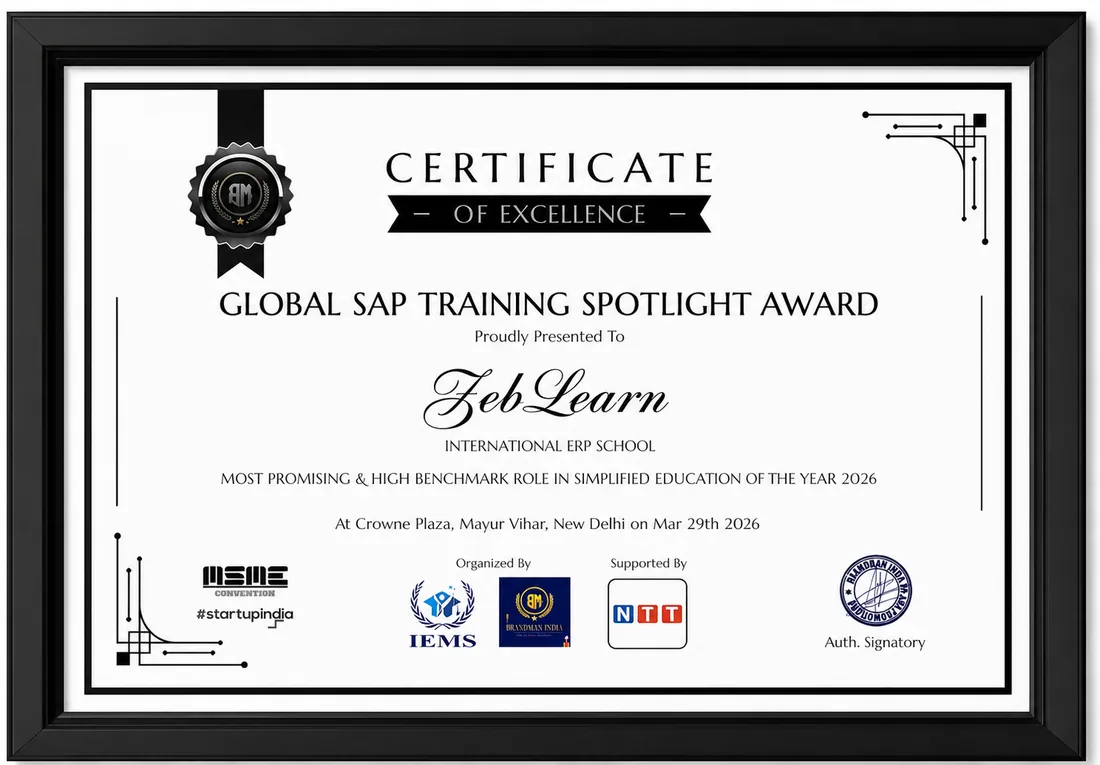
    Global SAP Training Spotlight Award
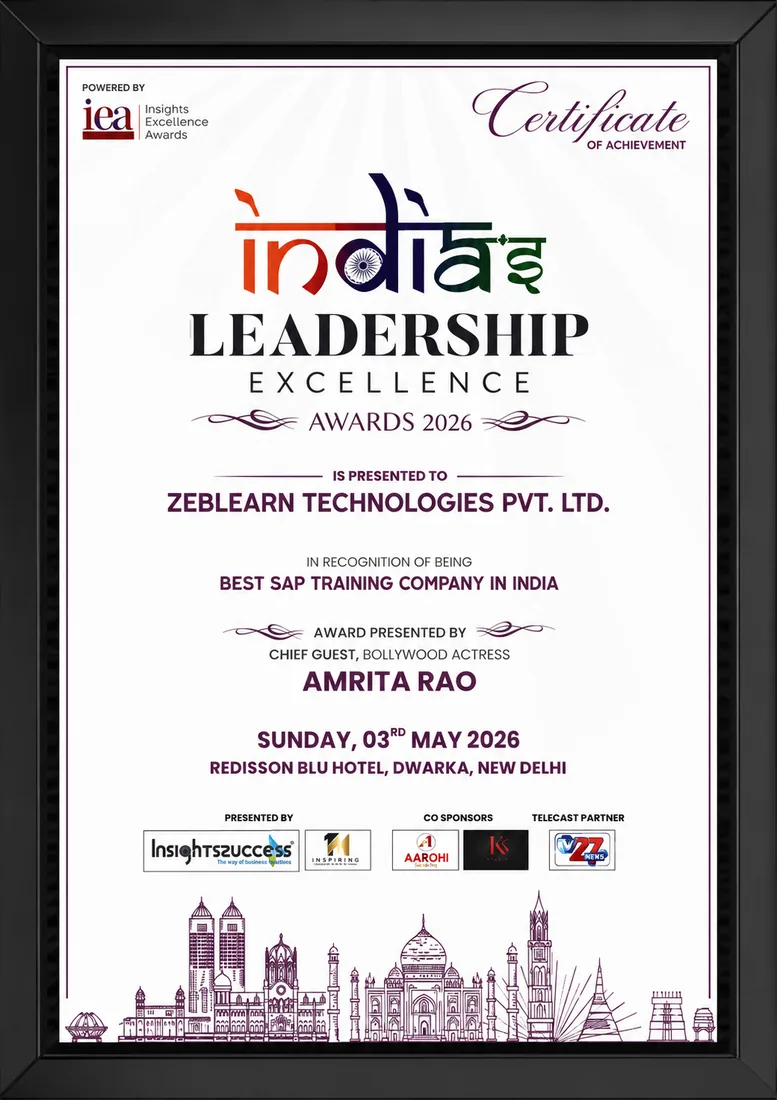
    India's Leadership Excellence Award 2026
    Inspiring Woman Tech Leader of the Year

    Global SAP Training Spotlight Award

    Brandman India · 2026

    Certificate
    After You Complete

    Resources You Keep After the Course

    Keep your class recordings, configuration notes, an infotype sheet and interview questions.

    Evaluation & Practice Sessions

    Participate in expert-led mock interviews and skill evaluation sessions after program completion.

    Learning Simulation (LMS)

    Lifetime access to LMS with recorded sessions, hands-on practice, and updated learning resources.

    Career & Placement Assistance

    Resume building, profile optimization, interview preparation, and placement guidance from industry experts.

    Live Sessions

    60-Minute Free Webinar with Certificate

    Join our live sessions and earn a free certificate. Limited seats available!

    Upcoming Live Classes

    Sessions from

    Live & Open
    DateTime ISTCourse / ModuleRegister
    Loading upcoming sessions...
    Student Portal

    Everything your batch needs, in one place

    Live classes, recordings, daily practice, case studies and progress tracking — all inside your portal, on any device.

    Live classes, one-click join Next class, time and link with a live countdown
    Every session recorded Revisit any class you missed, any time
    Daily T-Codes A fresh set of SAP transaction codes every day
    Daily interview questions New questions daily, answers hidden until you try
    Daily SAP updates Release changes and certification news as it happens
    Real business case studies Scenarios you configure yourself, step by step
    Hands-on live projects End-to-end work you can talk about in interviews
    Complete resource library Videos, notes, PDFs, ebooks and question banks
    Progress & attendance Track topics, sessions and your attendance record
    Doubts answered by trainers Ask against a class, get a reply on the same thread
    Global certification support Exam codes, mock tests and booking guidance
    Alumni network Referrals and interview intel from placed students
    Enroll Today

    SAP HCM SuccessFactors Training Batches and Timings

    StatusDateTypeScheduleTime
    SOLD OUT 21 Nov 2026 Weekend SAT - SUN (08 Weeks) 18:00 - 20:00
    FILLING FAST 26 Nov 2026 Weekday MON - FRI (08 Weeks) 08:00 - 10:00
    AVAILABLE 1 Dec 2026 Weekend SAT - SUN (08 Weeks) 10:00 - 12:00
    Limited Time Offer

    ₹120,000

    ₹45,000

    You save ₹75,000 Enroll Now, Pay Later

    EMI options available · No-cost study now, pay later

    FAQ

    SAP HCM Course FAQs

    Direct answers on scope, exams, fees, duration and jobs.

    SAP HCM SF EC training by ZebLearn includes real-time implementation, certification preparation, and practical industry use cases. It covers certification cost, salary trends, and career scope in 2026 with SEO-focused learning content.

    In enterprises, SAP HCM SF EC is used for automation, analytics, financial processes, or HR operations depending on the module. ZebLearn explains real-time project scenarios and workflows.

    SAP HCM SF EC includes advanced configuration, integrations, analytics, and automation features. ZebLearn provides hands-on training with real-world applications.

    SAP HCM SF EC is compared with other SAP modules based on functionality, integration, and business use cases. ZebLearn explains differences with practical examples.

    Skills include configuration knowledge, business understanding, integration, and troubleshooting. ZebLearn builds these through structured learning.

    The lifecycle includes requirement analysis, configuration, testing, deployment, and support. ZebLearn explains each step with real project flow.

    Challenges include integration issues, performance problems, and configuration errors. ZebLearn provides solutions and best practices.

    SAP HCM SF EC is used for automation, optimization, compliance, and analytics across industries. ZebLearn shares real-world use cases.

    Career roles include consultant, analyst, and specialist with strong salary growth. ZebLearn explains job demand and career paths.

    ZebLearn provides a roadmap: fundamentals → advanced → projects → certification → interview preparation.

    HCM runs on company servers and uses infotypes. Employee Central runs in the vendor cloud and uses data models.

    HR executives, HR operations and payroll staff, HR graduates, MBA HR students and career changers.

    No. The course starts with ERP basics and how HR data fits in.

    Enterprise and personnel structure, organisational management, actions, infotypes, time management, recruitment, training and payroll basics.

    Instance setup, provisioning, permissions, MDF, picklists, data models, foundation objects, time off and goals and performance.

    It runs for 8 weeks of live classes, and every class is recorded.

    The fee is Rs 45,000, with EMI options.

    The Employee Central Core exam, code C_THR81. Check the current format on the vendor site.

    On-premise skills are mainly proven through projects. Most learners choose the cloud exam.

    No. The fee covers training. The vendor charges for its own exam.

    No. It shows you finished the course and project. The vendor issues its own credential after its exam.

    Yes, HRIS and support roles often hire freshers with strong practice.

    HCM consultant, Employee Central consultant, HRIS analyst, HR systems support and HR operations roles.

    It covers payroll basics. For Indian statutory rules, see the separate payroll course.

    Yes. Zeblearn helps with your resume, runs mock interviews and shares your profile with hiring companies.

    We use cookies to improve your experience and personalize our site. cookie policy